Air Conditioner
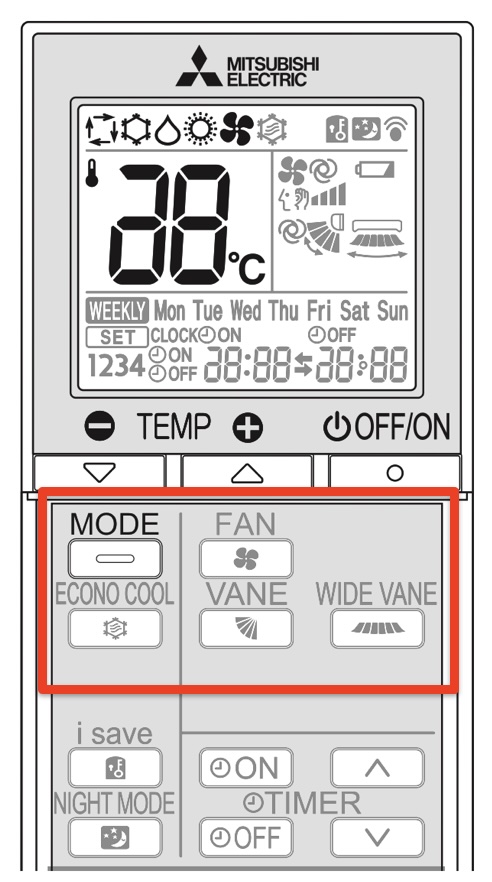
Always point the remote toward the aircon when pressing buttons.
You should only use the buttons within the red frame:
- Mode: controls whether to cool or to heat (see ‘Cooling’ and ‘Heating’ below)
- Econo Cool: used to improve cooling, so when cooling mode is selected you can press ‘ECONO COOL’ to spread the cool air
- Fan: fan speed. Cycles 1-2-3-4-auto
- Vane: fixed in one direction or alternating
- Wide vane: fixed in one direction or alternating
- OFF: set the aircon to turn off at a specific time e.g. after bedtime (see ‘Cooling’ and ‘Heating’ below)
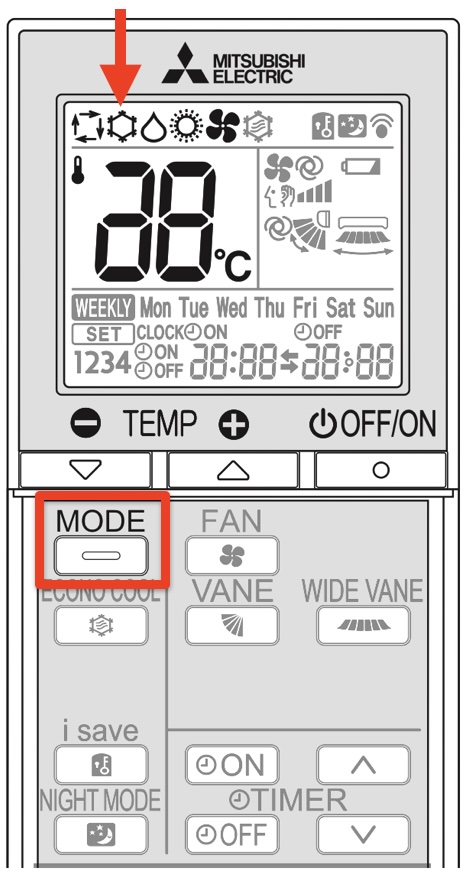
Cooling (summer)
Press ‘MODE’ repeatedly until you get to the symbol indicated by the arrow. Then press the + / – buttons to set the desired temperature.
Press 'OFF' once, and then the arrow up or down to set the time when the aircon should turn off automatically. Don't press 'OFF' again, just let it flash and after some time it will stop flashing. For example, after setting the aircon to cool, you can press off and set it to turn off at 1:00 at night'
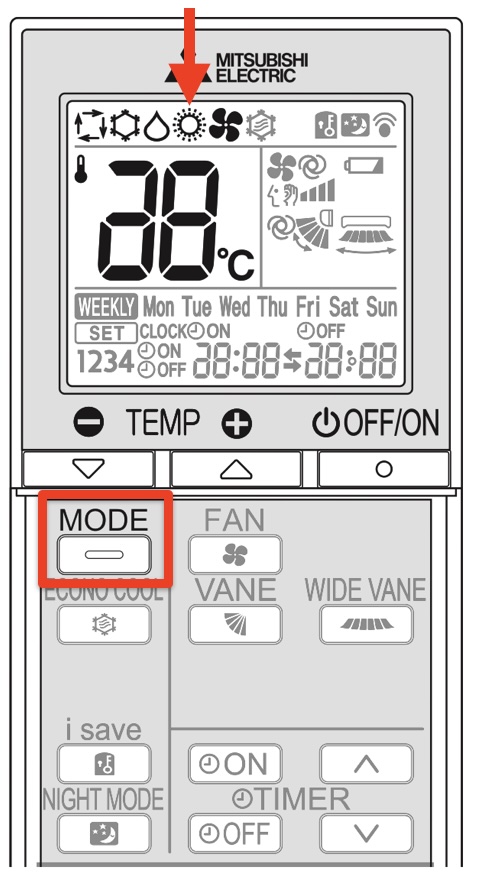
Heating (winter)
Press ‘MODE’ repeatedly until you get to the symbol indicated by the arrow. Then press the + / – buttons to set the desired temperature.
Press 'OFF' once, and then the arrow up or down to set the time when the aircon should turn off automatically. Don't press 'OFF' again, just let it flash and after some time it will stop flashing. For example, after setting the aircon temperature, you can press off and set it to turn off at 1:00 at night'